So I waited until about halfway through Fedora 9’s initial life-cycle to install it.  I listed the reasons for that here.  Once KDE 4.1 was finally out and most of the complaints had stopped, I took the plunge.  I am actually very happy with Fedora 9.  I think most of the reviews you may have read criticizing Fedora 9 focused on the initial version.  That was, according to the mailing list, very buggy.  But, for those who run Fedora on their day-to-day systems, simply waiting a few months is enough to get most of the bugs ironed out.  First I’ll focus on what I have thought of Gnome since I’ve been using it since the install.  Due to Fedora’s servers getting cracked, I just got KDE 4.1, so I’ll just be giving my preliminary impressions there.  I’ve been wondering if KDE 4 would bring me back into the KDE came from the Gnome side.  We’ll see.  I intend to boot into KDE 4 for the next week or so to see how I like it.

First, let me mention some of my pet peeves which are no longer a problem.  Compiz no longer comes on every time I log into Gnome.  You may remember my struggles in getting it to stay off instead of turning it off every time I logged into Gnome.  That’s what caused me to use Xfce exclusively for a few months.  I also like that GDM now actually remembers your previously selected Window Manager.  Before the option “Last Window Manager I logged Into” didn’t work.  You could select to use your new one as your default, but that always seemed so “permanent” to me.  So I really like that it now just defaults you to whatever you used last time.  The new GDM that Fedora is using is nice, and very clean.  I don’t like that it has to show the names of the users - that’s bad security practices.  It also stinks that it’s so new there aren’t any themes for it.  I had about 10 or so themes that I would cycle through for the older GDM.  Before moving on, I want to mention that I haven’t had any problems with PulseAudio.

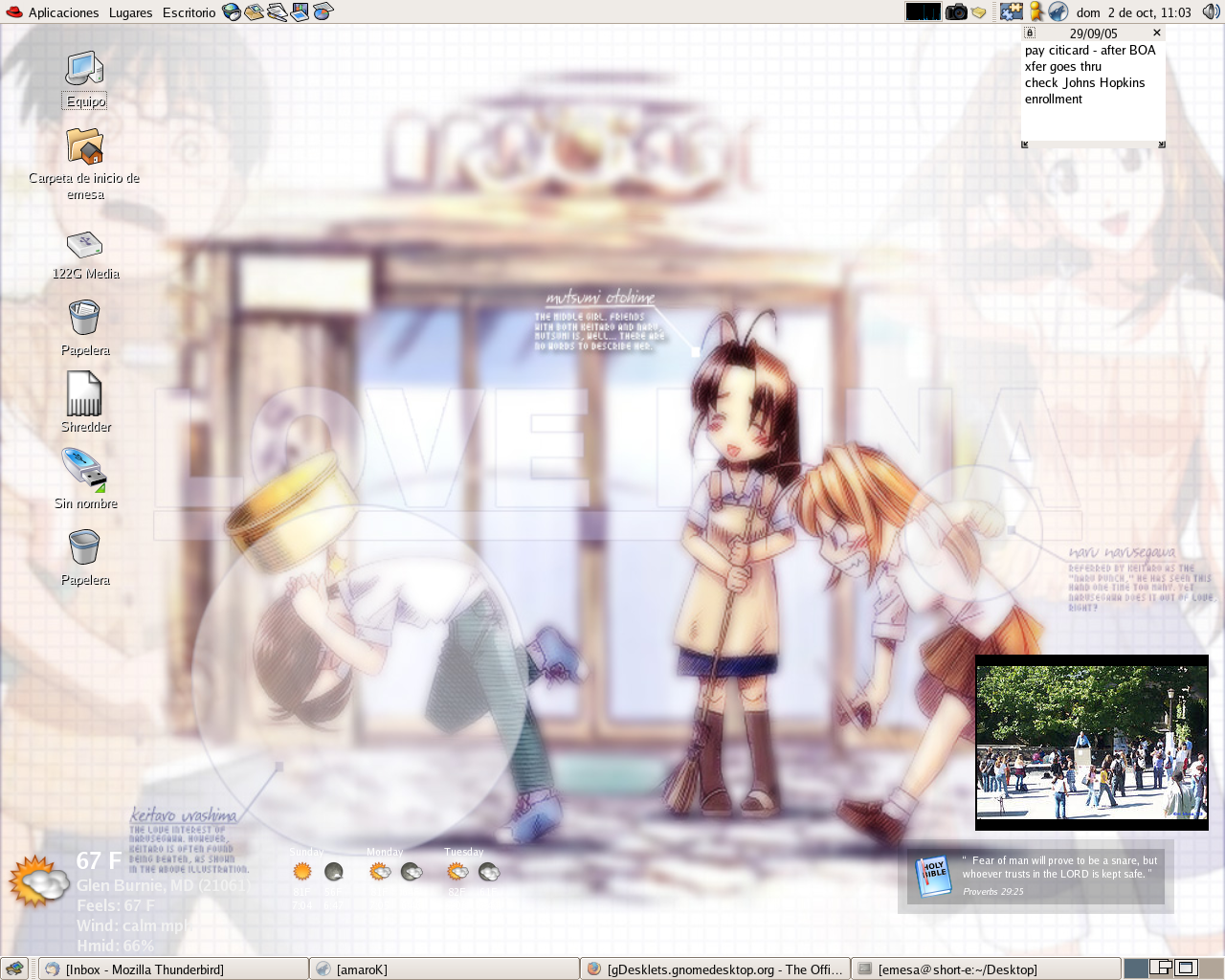
There are some other new benefits in Gnome.  I’m not sure if this is from the Gnome Virtual File System, but now anything you have mounted in /media gets put on the desktop.  They already would put your usb drives on the desktop, but now they also put nfs shares if you have them mounted in media.  Also, with the USB “logo” they make it easier to tell which of your drives are internal and which are USB-attached.  That’s pretty convenient.  I would still like for the media to have better user-friendly names like how you can name the volumes in Windows.  There does not appear to be an easy way to do this in Linux.  So I’m left wondering which drive has my pictures, 160 GB Media or 122.9 GB Media?

The other major update is with Fedora using PackageKit.  The great thing about using PackageKit is that all of the Gnome distros are moving to using it so now the Linux user only has to learn one way of installing packages.  They don’t need to learn a new package manager for each distro they use.  PackageKit also tends to have much better descriptions of the updates and packages deing installed than any previous version of Fedora’s package managers.  When you first get notified that there are updates to install, it gives you the chance to review the changes.  Otherwise you can just install all the updates.

Some of the other changes, though cosmetic, were welcome.  They were, I think, Fedora’s new theme (as opposed to the new Gnome theme).  First off, there’s the change to the scrollbars.  I know it’s just aethetic, but I love how instead of a square crashing into another square, now it’s a rounded edge finding its home where it fits neatly like a puzzle.  I just like it, perhaps it’s some Fruedian thing.  Who knows?  Also, I really like the Window Decoraction they’ve chosen for the maximise, close and shrink buttons.  I think a plus sign makes perfect sense for themaximise button.  After all, you’re making the window bigger. It certainly makes more sense than the symbol Windows uses for maximising a window.  And now we get to the exciting part, I will use KDE 4 on Fedora 9 for the first time.  So I will be, in a sense, live blogging about my experience in KDE 4 as implemented by Fedora 9.  As you may recall, I was pretty impressed with openSuse’s port of KDE 4.0 and 4.0 wasn’t supposed to be as good as 4.1.  So I’m going to log out of Gnome and I’ll see you on the other side!

Ok, here’s the initial screen on first boot.

So you can see they’ve fixed the problem everyone was having with a lack of desktop icons.  That icon view can be moved around.  I got a little preview at Kopete’s message notification when it popped up in the top middle of the screen where I was looking around.

Overall, KDE 4 appears to have a Mac OSX type of theme and it’s pretty good.  Just as I said with openSuse 11, I like how the maximise and close Window icons are separated so I have less of a chance of accidentally closing the WIndow.  One bad thing, right off the bat, is that Konqueror cannot properly do the Visual Editing in Wordpress, so I had to switch to Firefox 3.  The neat thing about Dolphin, and KDE 4 in general, is that there are a lot of neat effects even if Desktop Effects is turned off.  As you hover over files in Dolphin, the preview window fades into the preview rather than just switching abruptly.  KDE 4 is definitely going to give Mac OSX a run for its money in the effects department.  Especially as it continues to mature into 4.2, 4.3, etc

An interesting technology they’ve been touting for KDE 4 is nepomuk which intends to bring the innovations of the semantic web over to the desktop.  Therefore it supports tagging and commenting files.  This would facilitate better search because the search program wouldn’t have to depend on reading the file or the file’s title to find it.  It would do it based on what you’ve tagged the file.  I can see this having some great new implications.

Annoyingly, I haven’t been able to figure out how to make it so that only the applications in your current desktop show up in the panel.

I know there’s a way to fix this, but I couldn’t find it within five minutes and gave up.  The Widget selection seems to be about the same as in openSuse 11.0.  I crashed plasma when I tried to use the Twitter widget, b

ut I think that’s because I didn’t have KWallet enabled.  Interestingly, there doesn’t appear to be a dashboard

button like in openSuse.  Perhaps that was changed between KDE 4.0 and 4.1?  Ah…it’s now a widget you add.  Here’s my widget-crazy desktop with KDEtwitter, simple calculator, binary clock, fuzzy clock, RSS reader, and show dashboard.  In practical use I’ll probably get rid of the binary and fuzzy clocks.  I’m always in need of a calculator, so I’ll probably keep that one on the desktop.  Same with KDEtwitter.

Ok, so a while back, I blogged about one last look at KDE 3.  So now I’m going to revisit some of the applications I talked about there to see how they’ve changed for KDE 4.  First up is Amarok.  I know we’re still waiting for Amarok 2 since it follows a different schedule than KDE 4, but let’s see if it’s changed for KDE 4 nonetheless.  It looks pretty much the same as before.  So I guess we have to wait for Amarok 2.0 for dramatic changes.  Kopete has has some cosmetic changes, but it more or less operates the same.  I trawled through the options to make sure.  Overall, it’s not too bad and it’s pretty informative.  I like it.

I think Fedora has done a pretty good job with KDE 4.  It works pretty well - as good as it works on openSuse.  I still have some work to do to get used to using KDE 4, but overall it’s not too bad.  I’m still not a fan of Kontact, but I’ll give it another shot and see if I can get use to it.  I’m going back to Gnome for a little bit since I have all of my ToDo items in Evolution and I want to keep KDE to QT programs to see if I can get by with only KDE applications.  Overall KDE seems to crash a lot less than KDE 3, widget crash notwithstanding.  It feels a lot more polished and mature and it looks a lot better than KDE 3.  The new menu isn’t that bad at all once you get used to it.  Perhaps, given some time, I can come to love KDE again.  Later this week I’ll probably be giving it another shot.  I leave you with two little things I like in KDE 4.  The first is a panel widget and the second is a menu item.


Share and Enjoy:
These icons link to social bookmarking sites where readers can share and discover new web pages.

Share and Enjoy: These icons link to social bookmarking sites where readers can share and discover new web pages.
  • Digg
  • del.icio.us
  • Netvouz
  • DZone
  • ThisNext
  • MisterWong
  • Wists
  • De.lirio.us
  • Netscape
  • NewsVine
  • Reddit
  • Slashdot
  • StumbleUpon
  • Technorati

I’ve never used Suse or openSuse.  As I’ve mentioned before, I’ve been a “loyal” Fedora user since Fedora Core 1 and I have Ubuntu on my laptop since it had awesome laptop support.  I even got some Suse CDs as a prize for the Letter of the Month from Linux Format magazine.  However, I never even tried it at that time as I was mad at Novell for the Microsoft pact.  I think it lends a lot of credibility to Microsoft’s BS argument that Linux violates its patents.

But it’s been a few years and nothing horrible has happened because of the Microsoft pact and it came as a liveDVD in the latest Linux Format Magazine.  I was trying to wait until KDE 4.1 came out for Fedora so that could be my first experience with KDE 4, but that’s been delayed nearly a month now (while they, rightly, fix some bugs) so I decided to go ahead with the Suse review.

Suse is the second oldest distro that’s still around.  It started off as being based off of Slackware and later on was somewhat based on Red Hat, borrowing rpm and some other technologies.  Since then it’s gone off on its own and is now considered one of the big boys.  A few years after Red Hat shelved its personal distro and converted over to the community-sponsored Fedora, Suse decided to do the same thing with openSuse.  Just like Fedora, they’ve had some uneven releases.  However, openSuse 11 is supposed to be their comeback release.  Historically, Suse has been one of the biggest supporters of KDE as the default desktop although that has fallen off a little seince they’ve been trying to compete with Red Hat in the business world.

It’s important to note, however, that Novell’s Suse team has put a LOT of work into their KDE desktop.  This liveDVD is running KDE 4.0, yet they didn’t seem to have any problems getting icons on the desktop.  Lots of people were complaining about being unable to do so in Fedora and other distros using KDE 4.  Apparently, they just didn’t take the time that Suse did to engineer a really good KDE 4 release.  (Frankly, I’m surprised that Siego didn’t point to openSuse 11.0 as an example of a well-implemented KDE 4.0 release!)  They’ve also solved the problem of the ugly black panel that was too large.  So, plus points go to Novell’s openSuse/Suse KDE team.  They deserve an applause for doing this so well!

Novell has the KDE program menu that has annoyed so many people.  One of the things I’ve always loved about KDE was the fact that it had a favorite (or most run) programs section on the start menu.  Sure, there are some that believe that if you’re going to run programs that often you should have them as launchers on your taskbar.  But that can make taskbars look a bit cluttered.  Also, I think the most used program portion of Window’s Start Menu is one of the things they got very right with Windows XP.  (I’m not sure if MS innovated that or copied it from somewhere)  This menu is a good menu and doesn’t deserve all the hatred it’s received on the net.  It just needs a couple of tweaks to make it perfect.  The first problem with it is that if your mouse wanders down to the Favorites, Applications, etc portion of the menu, it switches you to that section.  I think a click should be required there to keep people from accidentally switching.   That was the biggest complaint most people had and it can be fixed so easily.  No need to throw the baby out with the bath water.  One other thing that was a bit unclear to me was how to go back on the applications hierarchy.  The skinny arrow on the left is not noticeable enough - at least not the first time it catches you off guard.

Widgets…it’s one of the biggest, most talked about innovations of KDE 4.  There is a lot of innovation going on in KDE 4 and if they can get past the KDE 4.0 stigma, I think they may end up surpassing Gnome with this release.  With Superkaramba, KDE has always done widgets so much better than Gnome.  Gnome’s desklets always seemed a bit kludgey and tacked on at the end.  Superkaramba always felt like it was part of KDE; even before it was added as an official part of KDE 3.5.   Now, with Plasma, the KDE team hopes to take them to the level of Apple’s OSX widgets.  In fact, OSX widget compatibility is either in KDE 4.1 or coming in KDE 4.2.

Wow!  If you’ve only seen the same old screenshots of a calculator, a click and a notepad, you haven’t seen the true power of the widgets.  First of all, they have quite a few new ones now.  You can see that I have a comic viewer, an RSS feed, and a Twitter feed.  All of these came from the default “add widgets” dialog.  I’m surprised, especially given the popularity of Twitter, that no one has showcased these widgets yet.  I’m thouroughly impressed that we’ve moved beyond simple system monitors and weather widgets (although I’m sure those are coming soon enough!)  They’re very easy and intuitive to position and configure.  And, one of the problems I always had with widgets on any desktop was that if I had all my programs open, they were less helpful to me.  Well, by clicking on the little button by the gecko or the top right corner, the plasma dashboard view is activated. This minimizes your programs and brings the widgets to the forefront.  A simple click on the desktop brings your programs back!  Couldn’t be easier.  They’re also very pleasing to the eye with their drop shadows.  They move smoothly and appear with a little fade-in.  Very nice.

As far as programs go, they have a pretty standard set.  OpenOffice.org provides the office suite.  Again, like with Mandriva, this is a little bit out of place since they could use KOffice.  However, I know that OpenOffice.org has much better compatibility with the suite from Redmond.  Interestingly, GIMP and Krita don’t seem to be included - but then again, it’s a liveDVD.  I’m sure it’s in the repositories.

In fact, let’s check out Yast, their control center.  It appears to control any setting you might want to change.  Plus points for them for making it all nice and organized.  In fact, they seem to be on par with Mandriva here in terms of everyting you could possibly want in one place.  Minus a very small point for it not looking as pretty as Mandriva or even as pretty as the rest of openSuse 11.0.  From here we can install programs.  Let’s see how well that appears to work.

I have to say that it is indeed ugly to look at.   I couldn’t really get a good feel for it as it didn’t have repositories defined.  I’ve really become much more of a fan of PackageKit’s interface.  (Which I’ll talk about in my Fedora review)  More and more Gnome-based distros are moving to PackageKit and I think there’s even a KDE version of Packagekit.  It works very well for package management and you can’t argue against the value of a consistent interface across distros.

Some last little things I noticed.  Take a look at what came up when I clicked on “My Computer”:

I really, really like this page that it loads up.  It is very useful for locating places on your computer AND for getting information.  To get the same info in Windows you’d have to open up “My Computer” AND right-click on “My Computer” and click on properties.  Here you have some quick links to “Common Folders” and also you can see that it recognized my NTFS hard drives.  You also have all the key information you need in order to get help from someone:  kernel version, distro, KDE version, graphics card driver, graphics card info, CPU info, and the total and free RAM.  Just one look gives you everything you need to know.  And I want to finish up with just a quick look at some of the neat finishing touches that Novell has done with openSuse.

Look at that - there’s a little gecko - the Suse mascot on the title bar.  This little dude appears on any title bar that has focus.  It’s just little touches like this that make the distro seem more professional.  I wish more distros would do things like this.  And look at this:

Now, this is probably a KDE setting, as opposed to Suse, but good on Novell for leaving it in.  There are many things I like about this setup.  First of all, the expansion button is not next to the exit button.  The number of times I’ve been frustrated by accidentally closing a window when I meant to resize it is just too numerous to count.  Also, the up arrow makes more sense to me than Microsoft’s icon.  It’s just that we’ve been around with the Microsoft implementation for 20 years.

So, what’s my final verdict?  I think Novell has done a really, really good job with openSuse 11.0.  Unlike Fedora, they did a very good job with the unfinished KDE 4.0 and turned it into something usable.  Lots of visual finishing touches make the distro just feel professional and not hacked together.  There are a few rough edges here and there.  I also didn’t test out flash, MP3 playback, or DVD playback.  I presume these can all be downloaded from some third party repository in some country where they don’t implement silly things like software patents.

Except for the still touchy subject of the Microsoft deal, I’d recommend Novell to someone who was new to Linux but ready to learn.  It doesn’t have the same hand-hold style of Ubuntu, so that’s still my top choice.  Right now it’s really almost a tie between recommending Mandriva and openSuse as the next best thing after Ubuntu.  Fedora is often broken due to being bleeding edge and I wouldn’t recommend it to someone brand new to Linux.  Of course, there still is the patent deal and they either did it to make themselves more palatable to companies than Red Hat (thus having bad motives) or they had to satisfy investors (which they legally must do in the USA).  So I guess that would break the tie and give it to Mandriva.  But Novell has made a top notch distro and if they can get over the negative press from the Microsoft deal (and there are websites like boycottNovell to prevent that), then I think openSuse may end up on more magazine covers and start to steal some of the thunder away from Ubuntu.


Share and Enjoy:
These icons link to social bookmarking sites where readers can share and discover new web pages.

Share and Enjoy: These icons link to social bookmarking sites where readers can share and discover new web pages.
  • Digg
  • del.icio.us
  • Netvouz
  • DZone
  • ThisNext
  • MisterWong
  • Wists
  • De.lirio.us
  • Netscape
  • NewsVine
  • Reddit
  • Slashdot
  • StumbleUpon
  • Technorati

First of all, I guess we got all jealous of Ubuntu because we have a startup sound now. There goes signing in with the speakers on late at night or early in the morning. Second, I apparently no longer have any functionality in Gnome. There are no panels, I can’t right-click the background. I can rotate a cube, but that’s about it. Oh, and I can move my mouse around. Time to figure out what went wrong.

Apparently it’s some kind of metacity bullcrap because Gnome with Openbox gets me panels. Also, I’m getting two error boxes that are completely whited out. I’m pretty sure if I could read the error that I’d be able to figure out what was going wrong. Or at least have more information to ask others. I think it’s possible something that’s supposed to load into the panels is causing problems. Now things have locked up. I’m thinking it could possibly be a fight between updatesd and packagekit, but I’m not sure. I think this may be so because when I tried to do something in yum, it said another app was using yum. The IRC was, as usual, not much help. I have something like a 5% success rate there. I rebooted just in case that might clear up the problem with yum. I think I’ll first start with Gnome/Openbox and see if it freezes up again. chmodding 775 my .gnome2 directories improved things somewhat in that now I get some, but now all of my panels. There may be other files with the wrong permissions somehow. Eventually I just do a chmod 775 .* after noticing there were other files with seemingly wrong permissions. I had a promising start when GDM now finally showed my login picture. It hadn’t showed it until now and I hadn’t realized. But still no luck with Gnome.

When I looked in my .xsession-errors file I saw some sabayon errors. Specifically “No profile for user ‘username’ found. Perhaps that’s the true source of the problem? I looked online and sabayon has something to do with profiles for Gnome. So I typed in sabayon and it asked for my root password. Then I created a profile and associated it with my user account. Let’s see if it works now!!!

Nope, looks like that was a different, unrelated problem. So on the advice of someone from the mailing list I installed and ran gconf-cleaner. Then rebooted. Would this be it? No, this did not solve the problem either. I guess I’ll come back to this once I figure it out.

Trawling through .xsession-errors I see that mugshot is part of the problem. It’s a bit annoying and I can always come back to it later. So I decide to yum remove it. This also removes bigboard, online-desktop and online-desktop-gmail *-google-calendar, *-google-docs and *-google-reader. The online desktop never did work correctly for me, so good riddance.

yum install xorg-x11-fonts* on a whim from something online. Afterall, it’s either a font or a color that’s wrong. If this doesn’t work, it’s possible that my xorg.conf file might be causing the problem by referring to a font server that’s been deprecated. That’s the next thing I try…. Ok, I try getting rid of my xorg.conf to see if this fixes things - it appears this was an error with other Fedora users. So hopefully it finally works and I’ll have a solution to my problem.  HOLY COW!  That’s all I needed to do all along!  I feel like pulling out my hair!

Well, at least it’s fixed!!!  Now to get dual-screen, etc working again.


Share and Enjoy:
These icons link to social bookmarking sites where readers can share and discover new web pages.

Share and Enjoy: These icons link to social bookmarking sites where readers can share and discover new web pages.
  • Digg
  • del.icio.us
  • Netvouz
  • DZone
  • ThisNext
  • MisterWong
  • Wists
  • De.lirio.us
  • Netscape
  • NewsVine
  • Reddit
  • Slashdot
  • StumbleUpon
  • Technorati

Ok, I noticed that most complaints on the Fedora mailing list seemed to have been solved and it has bene a few months since Fedora 9 came out. So I figure that it’s time to finally upgrade. Also, my biggest problems appear to have been resolved. Although X.org is still in beta, nvidia has released drivers that will work in the interim. And today KDE 4.1 was released! I expect it’ll be in Fedora any day now. I was going to wait until it was there so I wouldn’t have to download all the KDE packages twice, but I figure it’s not that big a deal.

Just like the upgrade to Fedora 8, I’m following the procedure at http://fedoraproject.org/wiki/YumUpgradeFaq

Here’re the steps I took and any problems I had.

  1. Remove all .rpmsave and .rpmnew files.
    For this I just ran locate on .rpmnew and .rpmsave and then deleted the files
  2. Find orphan packages with package-cleanup –orphans
    Found some FC7 annd some FC8 packages. None of them failed with %postun
  3. Install yum-fastestmirror
  4. yum clean all
  5. rpm -Uhv ftp://download.fedora.redhat.com/pub/fedora/linux/releases/9/Everything/i386/os/Packages/fedora-release-*.noarch.rpm
  6. mv /etc/yum.repos.d/fedora-updates.repo.rpmnew /etc/yum.repos.d/fedora-updates.repo
    mv /etc/yum.repos.d/fedora.repo.rpmnew /etc/yum.repos.d/fedora.repo
    Just like last time, this wasn't necessary for me
  7. Update third party repos. For me this was livna
  8. ctrl + alt + F1
  9. Log in as root and issue command telinit 3
    Takes a little while
  10. Uninstall thunderbird
  11. yum upgrade
    Ok, I have problems with ogle, BitchX, thoggen, kdemiltimedia-extras-nonfree, ogmtools and libdvdplay. Probably some lingering dependencies from Freshrpms, although I’m not sure. So Now I have to yum remove them and try again. Hopefully these don’t cascade into many others needing to be removed. Now, it only needs to remove libdvdplay-devel, ogle-devel, and ogle_gui. Much better than my last upgrade. So here we go again…..
    yum upgrade…. (no elipses in your commands)
    It looks pretty neat as all the stuff blows by in the command line. Remember not to go too far until you answer yes to the actual upgrade prompt or you’ll lose valuable time.
    2.8 GB to be downloaded…this may take a while….
    It started at 1930 and finished at….sometime between 2335 and 0630 the next day.  And it logged me out.
  12. yum groupupdate Base
    Hmm… yum looks different now.  4.4 MB of packages to download and install.
  13. yum groupupdate "GNOME Desktop Environment" \
    "Development Tools" \
    "Hardware Support" "Sound and Video" \
    "Graphical Internet" "Fonts" \
    "Games and Entertainment" "Printing Software" \
    "Administration Tools" "Office/Productivity" "System Tools"
    85 MB of downloads....
    Had to yum remove pirut, the old package manager, because it conflicted with gnome-packagekit then run the command again
  14. yum groupupdate “KDE (K Desktop Environment)”
    Surprisingly, only 4.4 MB
    And what’s with this RPM Fusion Free thing?
  15. /sbin/grub-install BOOTDEVICE
    no errors caused....
  16. cd /etc/rc.d/init.d; for f in *; do /sbin/chkconfig $f resetpriorities; done
    Gave the output:
    service functions does not support chkconfig
    service halt does not support chkconfig
    service killall does not support chkconfig
  17. reboot!
    Lots of unable to send message problems - I think this is related to upgrading from System V Init to upstart….anyway….it reboots

As it reboots, I notice the popping sound that everyone’s been complaining about when udev comes up.  Wow!  The graphical boot works for me again!!  It hadn’t been working since I updated to Fedora 8 (or maybe Fedora 7)  No more watching the text scroll by.  The new GDM theme is pretty slick looking.  (At least the background is - the part where you enter your username/password is pretty blah….)

I’m able to log into Xfce (I had it set as my default ever since that Xfce post last month).  It looks pretty slick like the icons have been replaced with some new slick SVG ones.  Interestingly, Evolution has moved from network to office.  And it’s no longer called Email, it’s called “Evolution Mail and Calendar”.  Also, tons of icons appear to be missing within Evolution.  They just show up as a icon with an X in it.  Same thing with Rhythmbox.  But, everything seems to be functioning correctly.  Also, all my desktop icons are gone too.  Perhaps they refer to a theme that’s no longer in use?  I go to Xfce’s menu then Settings -> Settings Manager -> User Interface Preferences.  Changing the theme from hicolor to Bluecurve brings back the icons I know and love…at least on the desktop.  Rhythmbox has also now found its icons, but not Evolution.  I take it down and start it up and now it’s back to normal!  Sweet!  So after my upgrade I’m pretty much able to use everything just like I used to.  Looks like yum upgrade continues to be a viable way to upgrade Fedora.

Later today I’ll log into Gnome and see what’s changed there.  Perhaps they can bring me back from Xfce’s clutches?  And as soon as Fedora goes to KDE 4.1 (any day now) I’ll be checking out the new KDE to see if 4.1 is a viable transition from KDE 3.5.  (I never tried 4.0 because everyone said it was too beta)


Share and Enjoy:
These icons link to social bookmarking sites where readers can share and discover new web pages.

Share and Enjoy: These icons link to social bookmarking sites where readers can share and discover new web pages.
  • Digg
  • del.icio.us
  • Netvouz
  • DZone
  • ThisNext
  • MisterWong
  • Wists
  • De.lirio.us
  • Netscape
  • NewsVine
  • Reddit
  • Slashdot
  • StumbleUpon
  • Technorati

A few quickies.

1) I fixed up a bunch of my links.  Some of them led to websites that no longer existed, one domain had been bought by a pr0n website.  So all my links should go to where they’re supposed to now.

2) I haven’t updated to Feodra 9 yet because I keep hearing that Fedora really jumped the gun on this release and there’s still a ton of stuff broken.  Since I use Fedora as my main daily computer, I can’t really sit there wasting time debugging it - especially since I’ve got a few animations that I’m working on.  I’ll move it it when it gets a bit more stable.  I’m thinking of maybe moving to another distro in the future.  Perhaps Mandriva….we’ll see.


Share and Enjoy:
These icons link to social bookmarking sites where readers can share and discover new web pages.

Share and Enjoy: These icons link to social bookmarking sites where readers can share and discover new web pages.
  • Digg
  • del.icio.us
  • Netvouz
  • DZone
  • ThisNext
  • MisterWong
  • Wists
  • De.lirio.us
  • Netscape
  • NewsVine
  • Reddit
  • Slashdot
  • StumbleUpon
  • Technorati

If all goes well, then as this post appears at 1000, Sulfur will be released to the mirrors and available for download!  Enjoy!  If you download from scratch, be sure to use bit torrent so you can share the bandwidth.


Share and Enjoy:
These icons link to social bookmarking sites where readers can share and discover new web pages.

Share and Enjoy: These icons link to social bookmarking sites where readers can share and discover new web pages.
  • Digg
  • del.icio.us
  • Netvouz
  • DZone
  • ThisNext
  • MisterWong
  • Wists
  • De.lirio.us
  • Netscape
  • NewsVine
  • Reddit
  • Slashdot
  • StumbleUpon
  • Technorati

Written Friday, 2 May 2008

Today I decided to upgrade my Mythdora to the latest verison, 5.0. I downloaded the CD media and booted into the install. I had to do a text install to be able to watch it on my TV. Then I just needed to yum install the kmod-nvidia drivers. (Although, first I had to uninstall the previous nvidia drivers - they were neither automatically upgraded nor uninstalled) I started at about 1930 and was able to be completely up and running by 2055, just in time so that I didn’t have to missmy 2100 recording of “Best Week Ever”.

The only major issue was that my current theme didn’t work, it was missing all of the words. But by using the keyboard and scrolling down and remembering where setup was, I was able to get to the setup menu and change the theme and then it works. I think it was just a problem of the prevoius theme being cached and there have been some changes to the included themes.

One of the most noticable changes to the themes is that (where the author has coded it in), a date and time stamp are now supported. So from your “Home” menu you can see what time it is - pretty convenient. The weather forecast now works - it was broken in 0.20. They’ve also added in a new “Movie Times” plugin which tells you when movies in your zip code are playing. The system status page now gives better, and more relevant information. Under the Mythdora Tools they’ve added “Mythdora Cron Jobs” to help out with certain tasks you might want to set cron to automatically run for you.

One great new feature is the ability to mark recordings as having been watched. I was able to do this manually and I hope it also does so automatically. Sometimes we’re left wondering if we’ve seen an episode before (especially if we didn’t delete it) so this would be especially helpful. Another feature I’m looking forward to learning how to use is the Watch List that lets you know in which order to watch episodes.

There are other great features, some of which I have yet to figure out how to take advantage of. To see them, see the release notes. I wish I had taken some before and after screenshots of Mythweb, the plugin that lets you manage most of MythTV’s features over the web. It has REALLY been improved. Here’s a really good example of how it looks now. Before for the videos your recorded, it would just show a small thumbnail, now, if you click on the recorded show, you get a plethora of information (and it looks neat too!)

Overall I was VERY happy with the great job the Mythdora team did on this release. The upgrade went very smoothly and the new features are working very well.


Share and Enjoy:
These icons link to social bookmarking sites where readers can share and discover new web pages.

Share and Enjoy: These icons link to social bookmarking sites where readers can share and discover new web pages.
  • Digg
  • del.icio.us
  • Netvouz
  • DZone
  • ThisNext
  • MisterWong
  • Wists
  • De.lirio.us
  • Netscape
  • NewsVine
  • Reddit
  • Slashdot