
For quite some time I’ve been been struggling with the point of Adobe’s Lightroom. Other than competing with Apple’s Aperture, it appears not to have a purpose. Of course, right around the time Lightroom (LR) was hitting its stride, I stopped reading photography magazines. The zine I loved the most was a British one published by the same company that puts out Linux Format Magazine. Unfortunately, even with an exchange rate of $1:1 Britsh Pound (which isn’t the case), it’s still $90 per year. So I may have missed lots of tutorial and explainer articles talking about why LR is such a great program. My impression of it was of a Adobe Bridge and Camera Raw. So I didn’t really see the point of paying $200 for that when those programs work just fine for me. It also seemed to straddle some Photoshop territory and I just couldn’t figure it out.
Fast forward to today when something makes me think about LR. I don’t know if it’s an article I saw this morning or something, but all of a sudden, I had an insatiable hunger to find out what LR was all about and why it had to much buzz. As I mentioned here, I’ve been refining the way I use Adobe’s products in my photography workflow. In fact, ever since I really got used to Adobe Bridge and Adobe Camera RAW (ACR), I almost never open Photoshop anymore. Before my workflow with RAW with a HUGE hassle! I would open up ACR, make adjustments and then open it up in Photoshop. Then I would save a TIFF and a JPEG. Now I just use the ACR built into Bridge and I output directly to JPEGs. The only time I actually open up Photoshop is when I want to create a black and white photo, a diptych/triptych, or want to do some radical modifications to the photo. (Such as collages, etc)
But what I’m missing is some functionality that exists in that little, free program from Google – Picassa. And the main part of that functionality is the organization of photos. Right now I tag all my photos in Bridge, but it’s just not as intuitive in Bridge to find all photos with a specific tag. LR appears to solve that problem.
Also, according to reviews I’ve read online, LR should ALSO save me from having to go to Photoshop for a black and white photo. Apparently with LR’s implementation of ACR, I should be able to achieve similar effects AND be able to do it with the RAW photo for a minimum level of quality-loss. So, it seems that right now is the PERFECT time for me to be interested in LR. I just got back from Hawaii where I took over 800 photos. I’ve already tagged and rated them in Bridge before discovery of LR. I’ve also worked on about the first 50-70 photos. So now I’ll compare my normal workflow in Bridge to my workflow in LR and see whether or not it proves to be worth the extra $200. Who knows, it might become the program in which I do 99.9% of my photography work.
I decided to import all of my photos. It takes a few minutes per thousand photos that I import. And I have 29027 photos. It took 2.5 hours to import my entire library. There are a lot of things I really liked. The layout and work flow are impressive. The EXIF reader is more accurate than the version of Bridge that I have. Specifically, it does a much better job of reading the lens from the big time. Bridge b0rks this up big time. Now for my gripes.
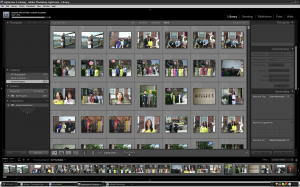
First of all, the UI is a LOT slower than Bridge. I really can’t realistically work with my photos at this speed. This alone is enough to convince me not to spend $200. But there’s more! For example, when I’m in a quick collection I am unable to delete a photo from my hard drive. This doesn’t make any sense. You’d think that I would want to make, say, a collection of new photos, and then delete the ones I don’t like. Usually, I move the DNGs into subfolders as I work on them. However, if I select a folder, LR displays the subfolder. Right now, the slowness is the biggest problem. Its RAW-to-JPEG process is so CPU intensive that I have to type this sentence and then wait 2 minutes for it to appear. This is not a problem with Bridge.
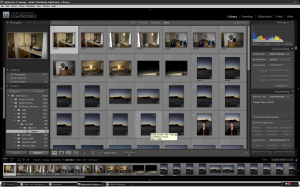
Well, I was able to make the sub-folders not show view a toggle option under the “library” menu. Right now it looks like the biggest reason for me to not use LR is that the changes I make to the DNGs are not reflected in Bridge. So if I end up not buying LR I will lose all my edits. I’m updating Bridge in case that is helpful. No, it turns out I would need to update to the latest Camera Raw and that would require me to update to Photoshop CS4. I can’t really afford that.
So right now I’m not 100% sure what to do. If I use Lightroom for now, then I will lose those settings if I don’t stick with the program. And it only makes sense to stick with the program if I can update to Camera Raw 5.x which I can only do with Photoshop CS4.